![Logo-RGB.png]](https://help.repmove.app/hs-fs/hubfs/Logo-RGB.png?height=40&name=Logo-RGB.png)
What Is Coverage?
Coverage uses visit data and a configurable timeframe to classify accounts into four coverage statuses. These statuses are displayed visually on the map as a heat map and can also be filtered from the Accounts list.
This makes it easy to:
-
Spot gaps in account coverage
-
Prioritize follow‑ups
-
Ensure territories are being worked consistently
Coverage Types
Each account falls into one of four Coverage categories based on visit history within the defined timeframe:
-
Never Visited
Accounts that have not had a recorded visit.
-
On Track
Accounts that have been visited within the expected timeframe.
-
Follow‑Up
Accounts that have been visited, but are approaching the end of the expected visit window.
-
Overdue
Accounts that have not been visited within the required timeframe.
These categories are reflected directly on the map, making it easy to assess coverage at a glance.
Admin Setup: Coverage Timeframe
Coverage is controlled by a timeframe set by an Admin.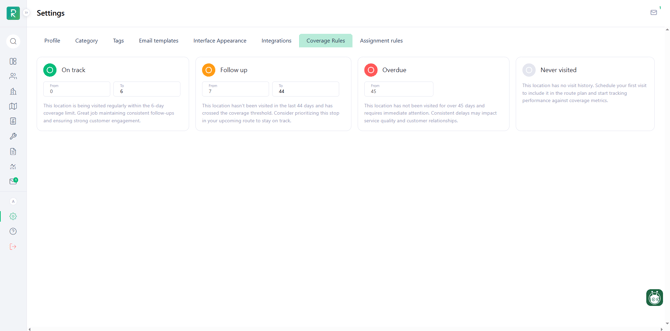
-
The timeframe is configured in Settings
-
This timeframe determines how accounts are classified (On Track, Follow‑Up, or Overdue)
-
All users see coverage based on the same admin‑defined rules
If coverage statuses don’t look as expected, an Admin should review the timeframe settings.
Viewing and Filtering Coverage
Coverage can be filtered and reviewed in multiple places, on both web and mobile.
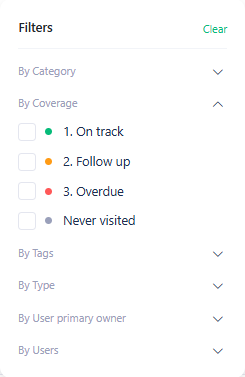
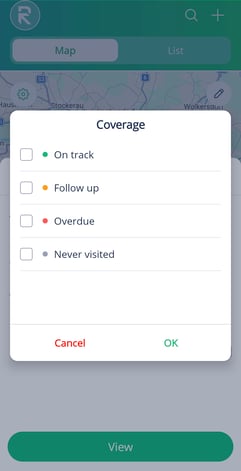
Filtering allows users to:
-
View only specific coverage types (e.g., Overdue accounts)
-
Focus on high‑priority accounts
-
Plan routes based on coverage needs