![Logo-RGB.png]](https://help.repmove.app/hs-fs/hubfs/Logo-RGB.png?height=40&name=Logo-RGB.png)
Create a New Pipeline
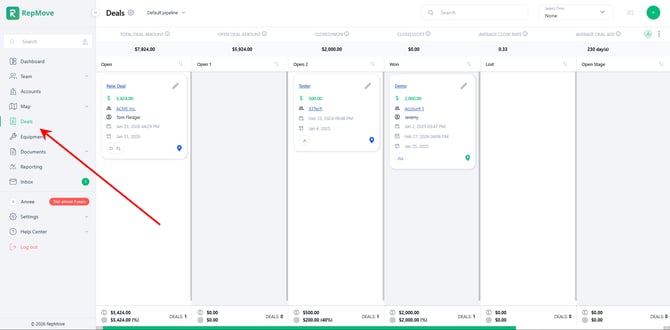
- Go to Deals from the left-hand menu.
- Click the
 Gear icon in the top-left corner.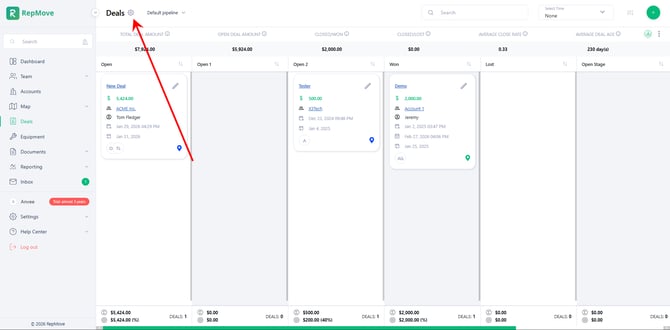
- View all created pipelines; a default pipeline will always be there.
- Click the
 (Plus) button in the top-right corner.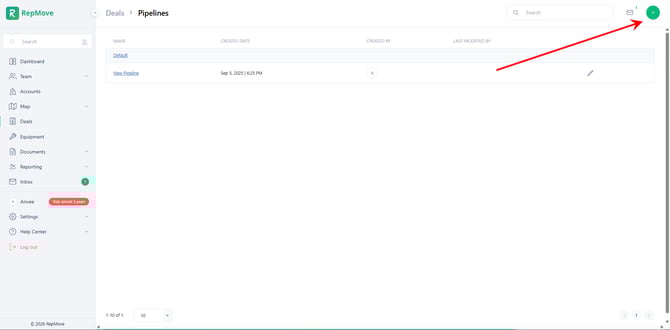
- Enter the Pipeline Name to create.
- Click Save.
Add or Edit Stages in a Pipeline
- Click the Gear Icon in the Deals Page view all pipelines.
- Click the name of the pipeline you wish to add/edit stages.
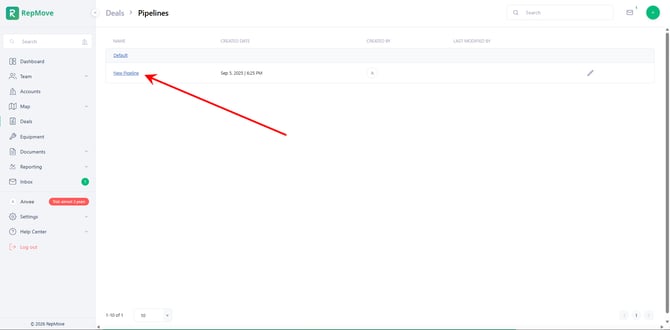
- View current pipeline stages (Name, Status, Probability, etc...).
- Add, edit, or delete stages as needed:
- To Create a new Stage: Click the (Plus) button in the top-right corner.
- To Edit a current Stage: Click the
 (Pencil) to the right.
- To Create a new Stage: Click the
- Select Name, Stage Status, Select Probability of Close for the stage.
- A pipeline must have at least one Open stage and one Closed stage.
- Once these are created, the pipeline will be available on both the Web and Mobile platforms.